

Introduction
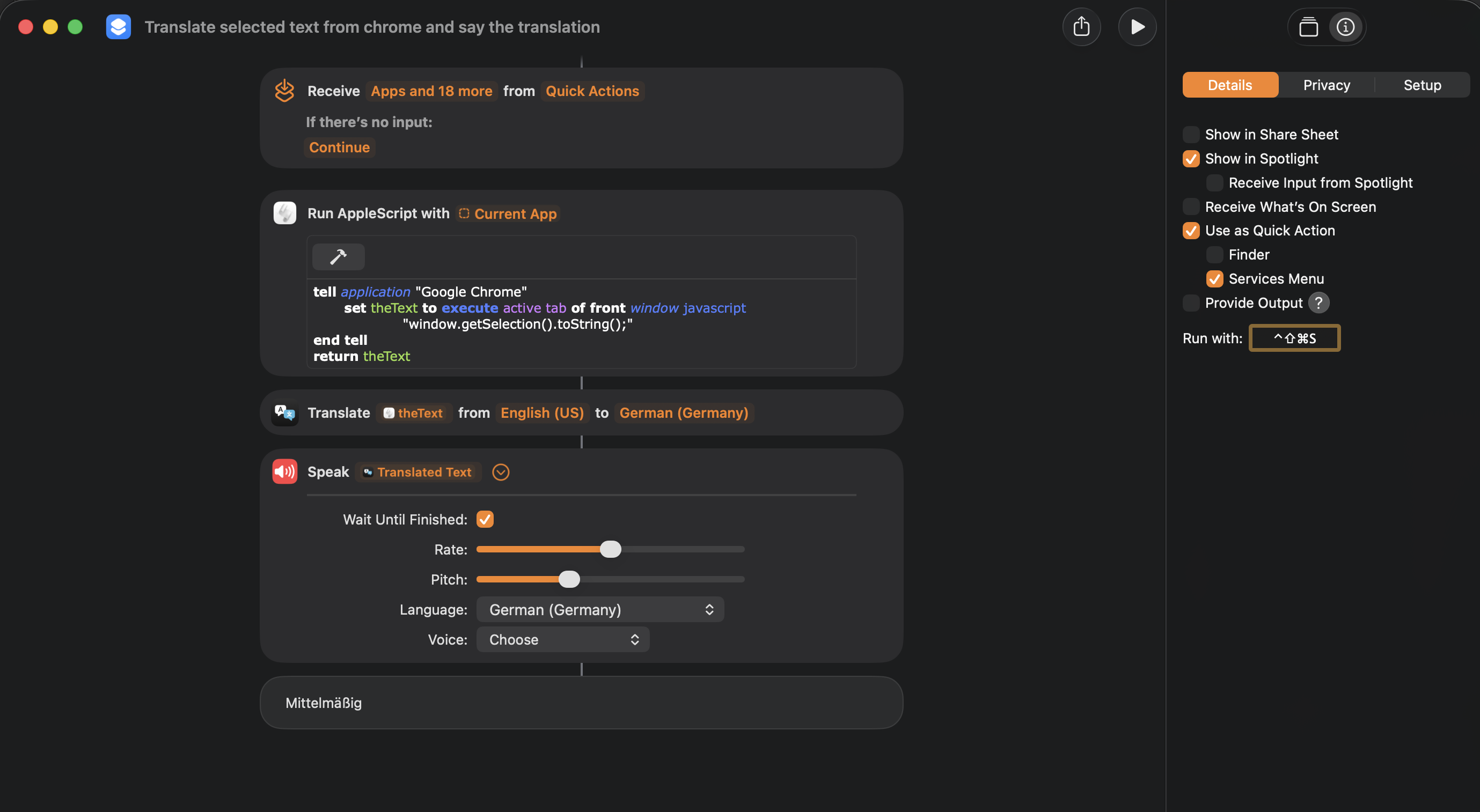 Translate selected text from chrome and say the translation - Shortcut Setup
This is a ready made macOS shortcut file with which you can read the selected text from the open google chrome app (you can change this to safari or other apps), translate it to german (you can change this as well) and than speak it as audio same as you would with the say command.
How to install and use
Installation (without editing)
Installation is easy. Just browse to the Translate selected text from chrome and say the translation.shortcut file and doubleclick it - and done. You should have now a new “Service” Item in the chrome context menu when selecting a text in google chrome app and doing a right click on the selection.
Make some changes (i.e. language or app)
You can easily make some minor changes like switching the translated to language or the source app, the selected app the shortcut is getting the selected text from. Just open the “*.shortcut” file with the Shortcuts.app on macOS and adjust these settings to your likes. You can also adjust the output voice, volume as well as other details. Check it out and play around with it!
Github repository
License
Credits
This macOS shortcuts was made with the help of Microsoft Copilot AI app and some elbow grease